โดยปกติคำสั่งซื้อจะถูกจัดส่งไปยัง ประเทศไทยภายใน4 วัน ขึ้นอยู่กับสถานที่.
จัดส่งฟรีถึง ประเทศไทยเมื่อสั่งซื้อตั้งแต่ ฿1,600 (THB) ขึ้นไป จะมีการเรียกเก็บเงินค่าจัดส่ง ฿600 (THB) สำหรับคำสั่งซื้อทั้งหมดที่น้อยกว่า ฿1,600 (THB).
ค่าขนส่งของ UPS, FedEx หรือ DHL แบบชำระล่วงหน้า: CPT (ภาษีศุลกากรและภาษีที่ต้องชำระ ณ เวลาที่จัดส่ง) ชำระเงินด้วยบัตรเครดิตและ PayPal เท่านั้น
![]()
![]()
![]()
![]()


ผลิตภัณฑ์อื่น ๆ จาก พันธมิตรที่ได้รับอนุมัติอย่างเป็นทางการ
เวลาเฉลี่ยในการจัดส่ง 1-3 วัน อาจมีค่าบริการในการจัดส่งเพิ่มเติม โปรดดูหน้าผลิตภัณฑ์ รถเข็น และการชำระเงินสำหรับความเร็วของเรือจริง
Incoterms: CPT (อากร, ภาษีศุลกากร และภาษีมูลค่าเพิ่ม/ภาษีที่เกี่ยวข้อง ณ เวลาที่จัดส่ง)
สำหรับข้อมูลเพิ่มเติม ดูได้ที่ความช่วยเหลือและการสนับสนุน
Build a low-latency XRP robot control system using ESPHome and a UART WiFi bridge. Stream sensors, control motion, and integrate with Home Assistant.
Discover how the XRP robot brings affordable robotics and AI education to classrooms with scalable curriculum and EDU discounts.
Combine LiDAR sensing and game controller input to create an XRP robot that navigates safely while providing haptic feedback alerts.
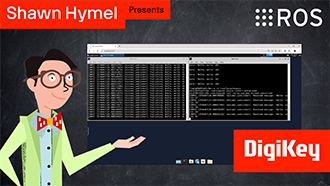
In this tutorial, we’ll demonstrate how to set up a communication channel between a ROS 2 node running on a Raspberry Pi and an Arduino-compatible microcontroller to control a simple robot.
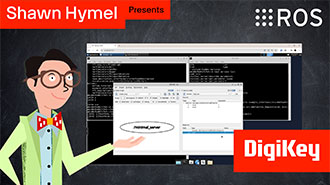
In this tutorial, we take the next step and create a complete system using both TF2 broadcasters and listeners.
In this tutorial, we begin working with TF2, the ROS 2 library that handles coordinate transformations.
In this tutorial, we’ll explore how ROS 2 launch files simplify node orchestration.
In this tutorial, we'll explore how to use parameters in ROS 2 to dynamically configure nodes.
In this episode, we’ll go one step further by creating and using custom interfaces in both Python and C++. You’ll learn how to define your own message and service types and use them in publisher/subscriber and client/server architectures.
In this tutorial, we will see how services work by creating a custom server and client in C++ ROS nodes.
In this tutorial, we will see how services work by creating a custom server and client in Python ROS nodes.
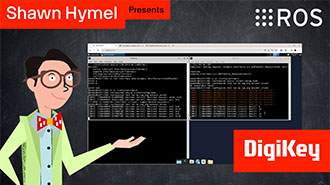
In this tutorial, we’ll walk through how to write ROS 2 nodes in C++ that communicate using the publish/subscribe model.
ขอขอบคุณ
จับตาดูกล่องจดหมายของคุณเพื่อรับข่าวสารและอัพเดทจาก DigiKey!
กรุณาป้อนที่อยู่อีเมล
กรุณาติ๊กเครื่องหมายในช่องทำเครื่องหมาย